
Extend your Odoo system with AI to automate processes, improve management decisions and increase profitability. Request an online demoRequest an assessment of your Odoo system
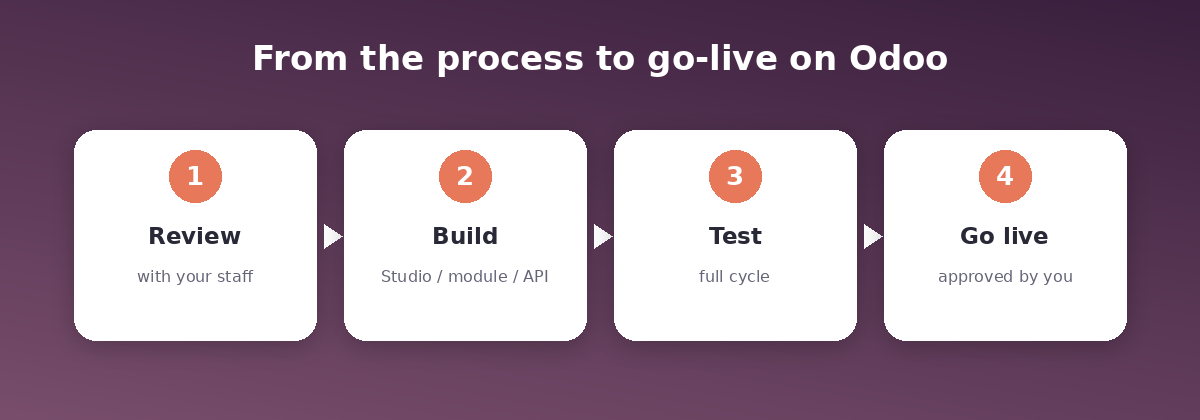
Odoo development and customization with SFA Saudi for Trade starts from a real operational problem: each Odoo app works on its own, while your team re-enters data when a transaction moves between departments, approvals are delayed, profitability figures differ between the report and accounting, or the link to a system your company relies on breaks. We review the process with the people who run it and find where it stalls. Then we make the right change: configuring Odoo functions, customizing with Odoo Studio, developing a module, integrating another system, or applying AI to one specific step. Your team tests the full cycle before anything goes live.
The customer or supplier completes their details once, and the responsible team reviews them before sales, purchasing or accounting can use them. Staff can see who approves a discount, purchase or expense, where a request is stuck, and when the decision was made. Managers can trace a report figure back to the order, invoice, stock moves and costs behind it. Teams follow the ticket, diagnosis, parts used, warranty and delivery from connected records. We identify the processes that depend on custom modules or external systems and test that they keep working before and after moving to Odoo 20.
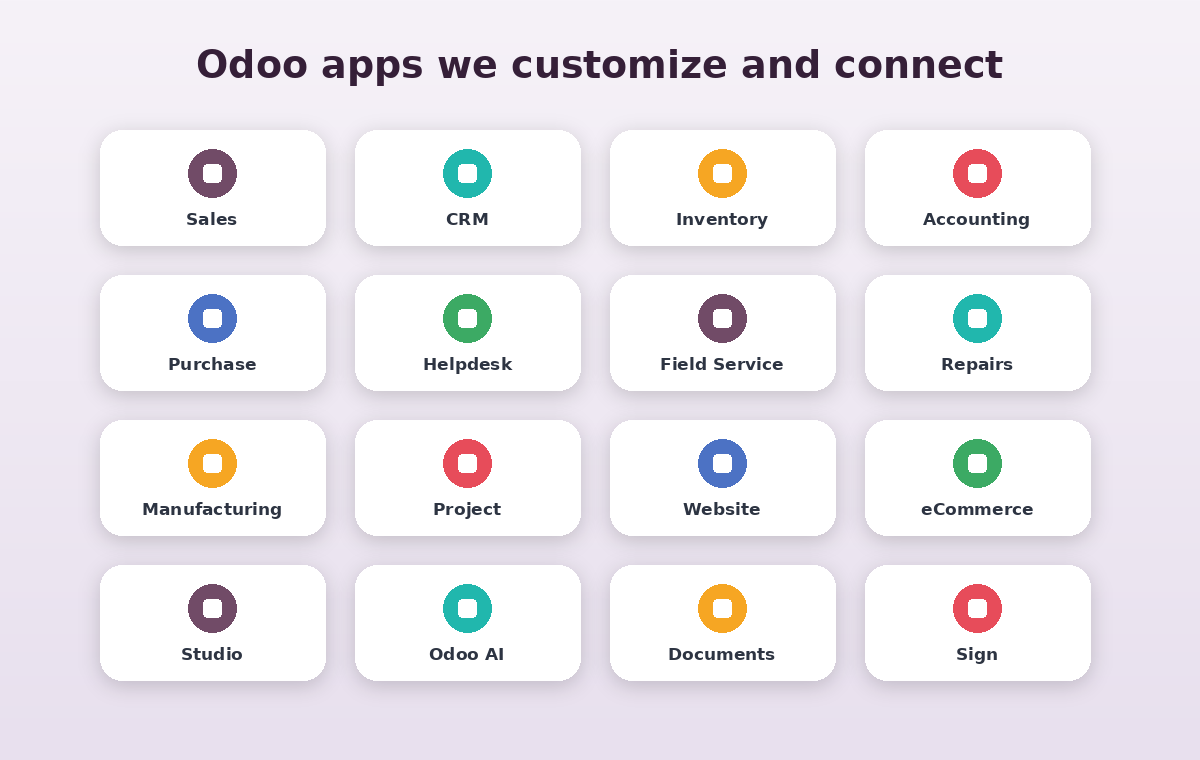
We cover more than 50 apps and tools in the Odoo ecosystem. Pick the app where the process starts and we will identify the other apps the change affects. The implementation approach is set after reviewing your Odoo version, hosting and installed apps.
Example: supplier registration, from application to being available for purchasing. The supplier submits details and documents through a form linked to Odoo. A draft is created in Contacts and AI extracts the required fields from the documents your company allows it to process. The system checks completeness and the registration number and flags likely duplicates. The responsible team reviews and approves the record under its permissions, and it becomes available in Purchase and Accounting. Your team tests cases such as a new supplier, a duplicate record, a missing document and an edit to an existing supplier. Success is measured by review time, accuracy of extracted data and the number of corrections before approval.
If an upgrade date is set for your system, we start with the processes that must keep running on go-live day: custom modules, third-party add-ons, Studio changes, reports and integrations, tested on a staging copy. If a problem appears after moving to Odoo 20, we start from the affected transaction, trace the cause and re-test the cycle after the fix. The assessment includes a list of affected apps and modules, the test results, the changes required, and the processes your team must approve before sign-off. The proposal documents the current process and the desired result, and sets out the approach, dependencies, cost and test cases. If AI is part of the solution, it states what data the assistant reads, what it is allowed to do, who approves the output and how quality is measured, along with any external service or recurring usage fees.
Yes. We start by assessing your current system: version, hosting, installed apps and existing customizations, then decide what can be developed without rebuilding it. In many cases configuration or Odoo Studio is enough. We write a module or an API integration when standard features do not cover the process. It helps with specific steps such as extracting document data, summarizing tickets and drafting messages. A responsible employee approves the output, and calculations and posting stay with the rules configured in Odoo. Click “Request a demo”, choose a time on the booking page, and tell us which app you use and which step you want to improve.
Book an online slot directly. Tell us the app you use, the step you want to change, how the problem affects your team or customers, and your Odoo version and hosting if known.
Odoo ERP Development, Customization and Odoo 20 Automation

What do you want to work better in Odoo?
Customer and supplier registration
Approvals and control
Costs and profitability
Maintenance and repairs
Integrations and upgrades
Odoo apps we can develop
Area
Apps
Development examples
How AI helps
Customers and sales
Contacts · CRM · Sales · POS · Subscriptions · Rental
Customer data approval, lead routing, discount and margin rules, linking quotations to availability and invoicing
Extract fields from registration documents, summarize customer requirements and suggest the next step
Purchasing, inventory and manufacturing
Purchase · Inventory · Barcode · Manufacturing · Quality · Maintenance · Repairs
Supplier qualification, customized counts and transfers, linking work orders to actual costs
Extract lines from supplier quotes, summarize count differences and downtime causes
Accounting and documents
Accounting · Invoicing · Expenses · Documents · Spreadsheet · Sign
Profitability and cost-center reports, invoice generation tied to delivery, document access by role
Extract invoice and receipt data into a draft the accountant approves
Projects and service
Project · Timesheets · Helpdesk · Field Service · Planning · Appointments
Linking tickets to visits, technicians, parts and invoicing; ticket routing and escalation
Classify tickets and draft replies from the approved knowledge base
HR and fleet
Employees · Recruitment · Time Off · Appraisals · Payroll · Fleet · Attendances
Onboarding forms, leave approval flows, linking attendance to payroll
Summarize CVs and notes for review. The decision stays with the specialist
Websites and marketing
Website · eCommerce · Blog · Marketing Automation · Email · SMS · Survey
Linking forms to leads and tickets, linking orders to stock, payment and shipping
Draft messages and descriptions within templates your team approves
Tools and AI
Odoo AI · Studio · Approvals · Knowledge · IoT · Phone
Custom fields, screens and automation; AI assistant tasks with defined sources and permissions
Summarize a ticket when it is escalated and save the summary on the record for review
How do we develop a complete process inside Odoo?
Odoo add-on development and Odoo 20 compatibility check
What does an Odoo development proposal include?
Frequently asked questions
Do you work on the Odoo system we already use?
Can Odoo be customized without coding?
What is the role of AI in Odoo?
How do I book a demo?
Request an Odoo demo